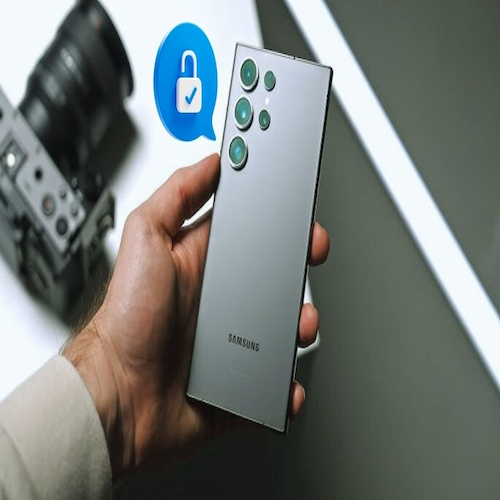
Unlock Samsung phones without losing data using Android Phone Unlocker. There comes a moment of quiet frustration—a Samsung phone, locked, silent, holding your world behind its screen. Forgotten PINs, stubborn patterns, or security resets can feel like walls closing in. Sometimes it’s the aftermath of updates; other times it’s a previous owner’s lock on a secondhand device. Whatever the cause, your data—photos, messages, apps—is precious, and losing it feels unthinkable.
Yet, there is a path forward. With the right tool, patience, and care, your device can speak to you again without erasing the story it holds. A trusted companion in this journey is Android Phone Unlocker, such as Dr.Fone, guiding your Samsung back into your hands safely.
Part 1: Understanding Samsung’s Fortress
Samsung’s security is a fortress built layer by layer. Knox Vault works at the hardware level, shielding your data even from physical tampering. Risk-Based Authentication watches for patterns and behaviors, adding another layer of scrutiny. Factory Reset Protection (FRP) merges with standard locks, creating a dual barrier that protects, yet complicates access if you forget your credentials.
Lockouts often happen in familiar ways:

Too many wrong attempts at your PIN or password
Android updates that shift security settings unexpectedly
Used devices with locks still intact
Part 2: The Unlocking Path with Dr.Fone
Here, the light appears. Dr.Fone’s Screen Unlock (Android) is like a key crafted for your circumstances—simple, effective, and designed to preserve your data.
Key Features:
Unlock pattern, PIN, password, fingerprint, and face locks
Bypass the Samsung lock screen safely
Support for FRP bypass on major Samsung models
Works across Android brands, including Huawei, Xiaomi, OPPO, Vivo, LG, OnePlus
No technical mastery required
Steps to Unlock:
Launch the Tool—Connect your Samsung via USB and open Dr.Fone. Navigate to Toolbox > Screen Unlock > Android.
Choose Data-Safe Unlock—Select “Unlock Android Screen” for Samsung, ensuring the option to remove the lock without losing data.
Confirm Device Details—Enter brand, model, and device name, confirm the agreement, and type “000000” to proceed.
Enter Download Mode—Follow instructions to place your phone into Download Mode, preparing it for the safe removal of the lock.
Watch the Magic—Dr. Fone downloads the necessary files and lifts the screen lock. Soon, your device awakens, free and intact.
Part 3: Troubleshooting Roadblocks
Even the best journey may encounter obstacles. FRP locks, device detection issues, and recovery-mode hiccups are common. Solutions include:
Device Not Recognized: Install Samsung USB drivers or Smart Switch.
Unrecognized Model: Enter the model manually.
FRP Lock Conflicts: Use Dr.Fone’s FRP Bypass Module.
Offline Devices: Enable a mobile hotspot or use Offline Unlock Mode.
Stuck in Download/Recovery Mode: Exit safely using the built-in tools and restart the unlock.
For stubborn Knox or EDL issues, Samsung Support may provide assistance. A combination firmware flash can also act as a pre-unlock step without wiping your data.
Part 4: Preventing Future Locks
Prevention is as vital as recovery. Build habits that shield you from lockouts and secure your data:
Smart Lock: Trust devices like smartwatches or Bluetooth earbuds. Mark home or work as safe zones.
Backup Unlock Options: Combine biometrics with a PIN or password. Link your Samsung account for remote unlock.
Remote Unlock & Location: Enable Find My Mobile and Send Last Location for added security.
Buying or Selling Devices: Verify the phone status is “Official” and ensure the IMEI is included in the bill of sale.
Conclusion: Regaining Control
Unlocking a Samsung without losing data is no longer a distant hope. With tools like Dr.Fone, knowledge of Samsung’s security, and careful troubleshooting, you can reclaim access gracefully. By pairing recovery with prevention, you protect your device, your data, and your peace of mind. In this dance of technology and patience, control is restored, and your digital world opens once more—safe, complete, and entirely yours.
About the Author